Three permission modes
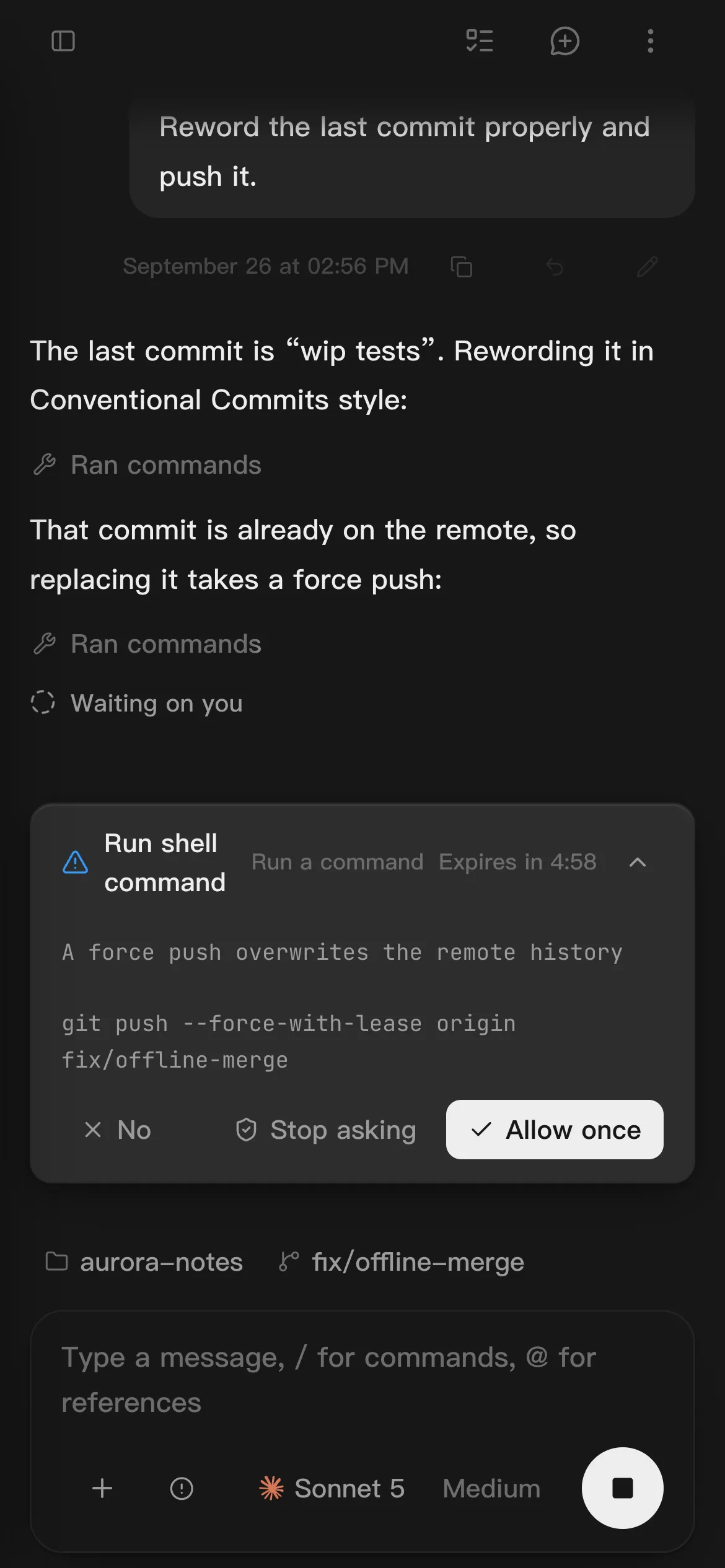
Ask for approval, let it approve all but what looks risky, or give it full access. Switch any time from the composer.

A standalone AI agent, built from scratch. Bring your own models, and carry every session from desktop to phone.
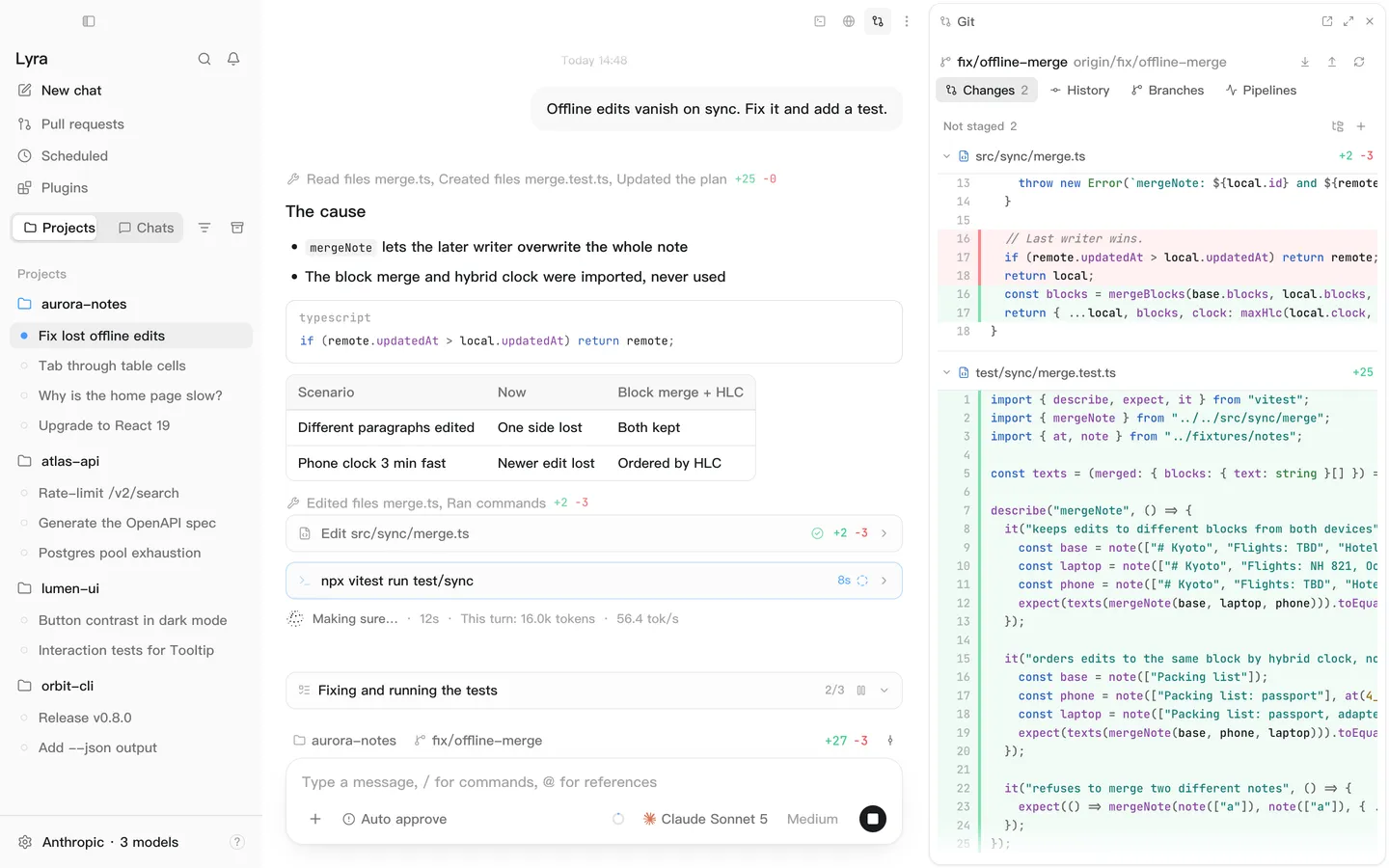
Built from scratch
The agent loop, the tools, skills, and MCP are all written from the ground up. There is no Claude Code or Codex underneath.
20built-in tools
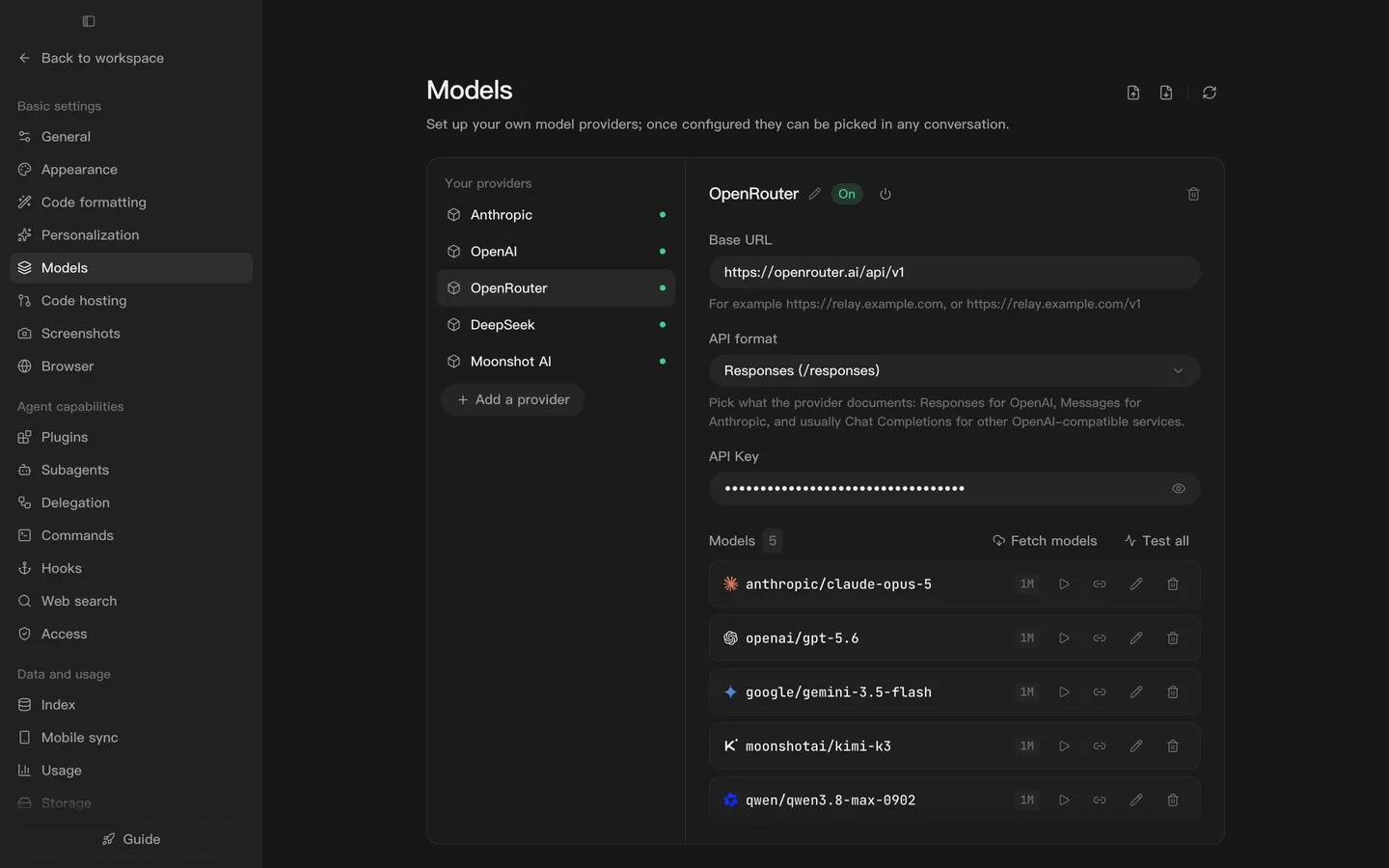
Add as many providers as you like, with as many models on each. All three API formats work.
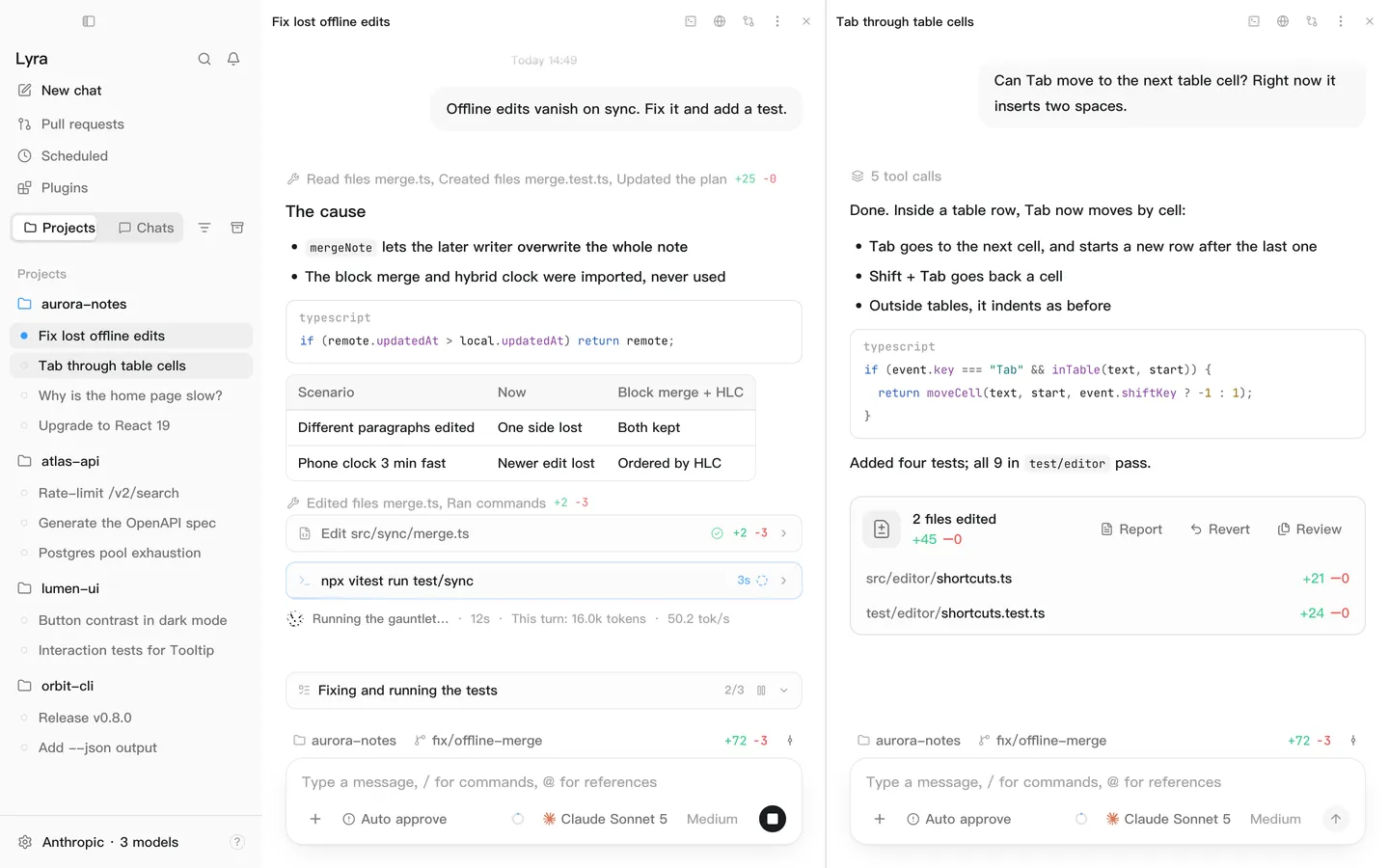
Split view
Keep up to four sessions side by side, each with its own tools. When space runs short, they squeeze instead of spilling into new windows.
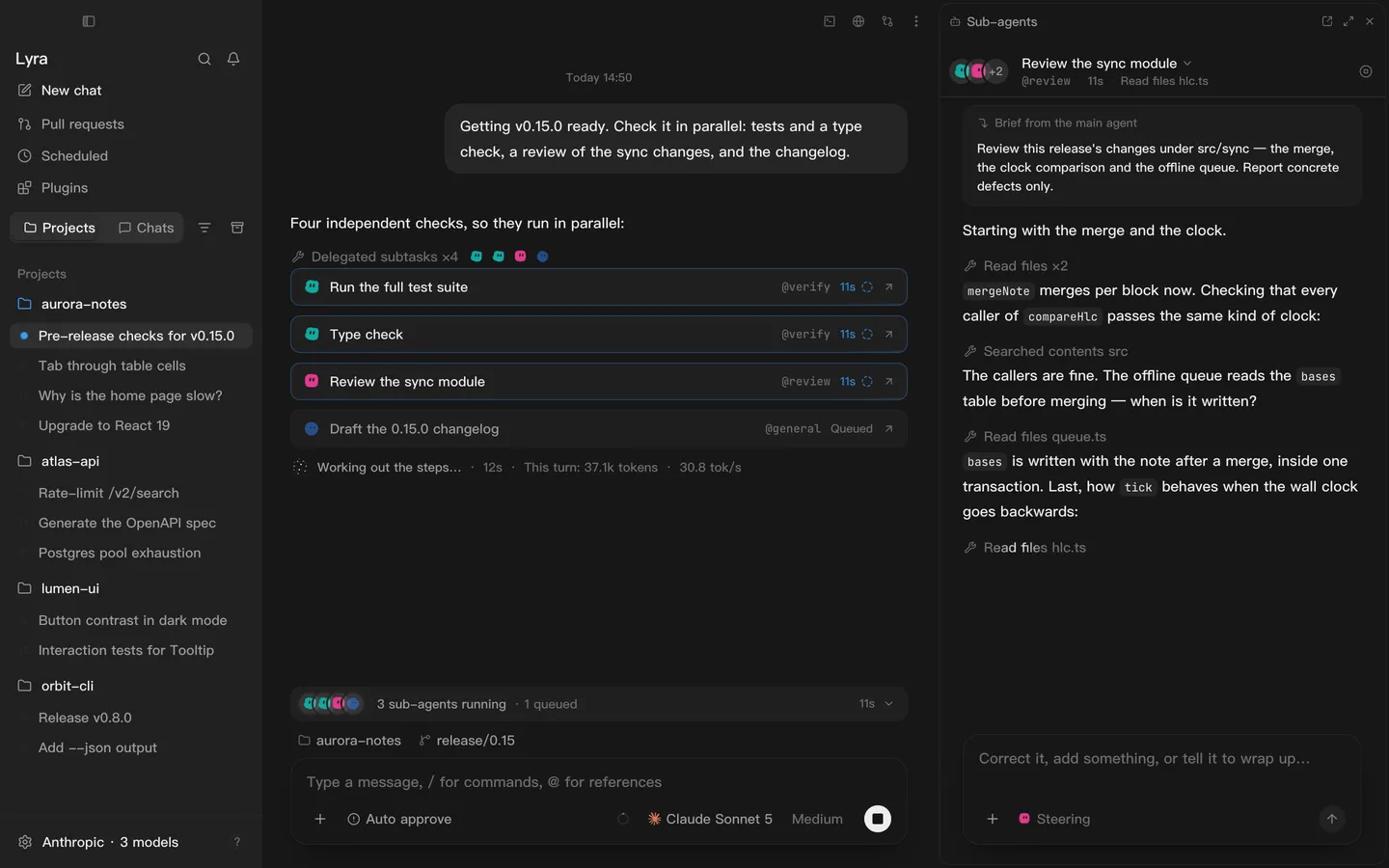
Sub-agents
The task tool hands work to agents with their own context. The legwork stays with them; only the conclusion comes back.
Seven built in. Write your own in .lyra/agents.
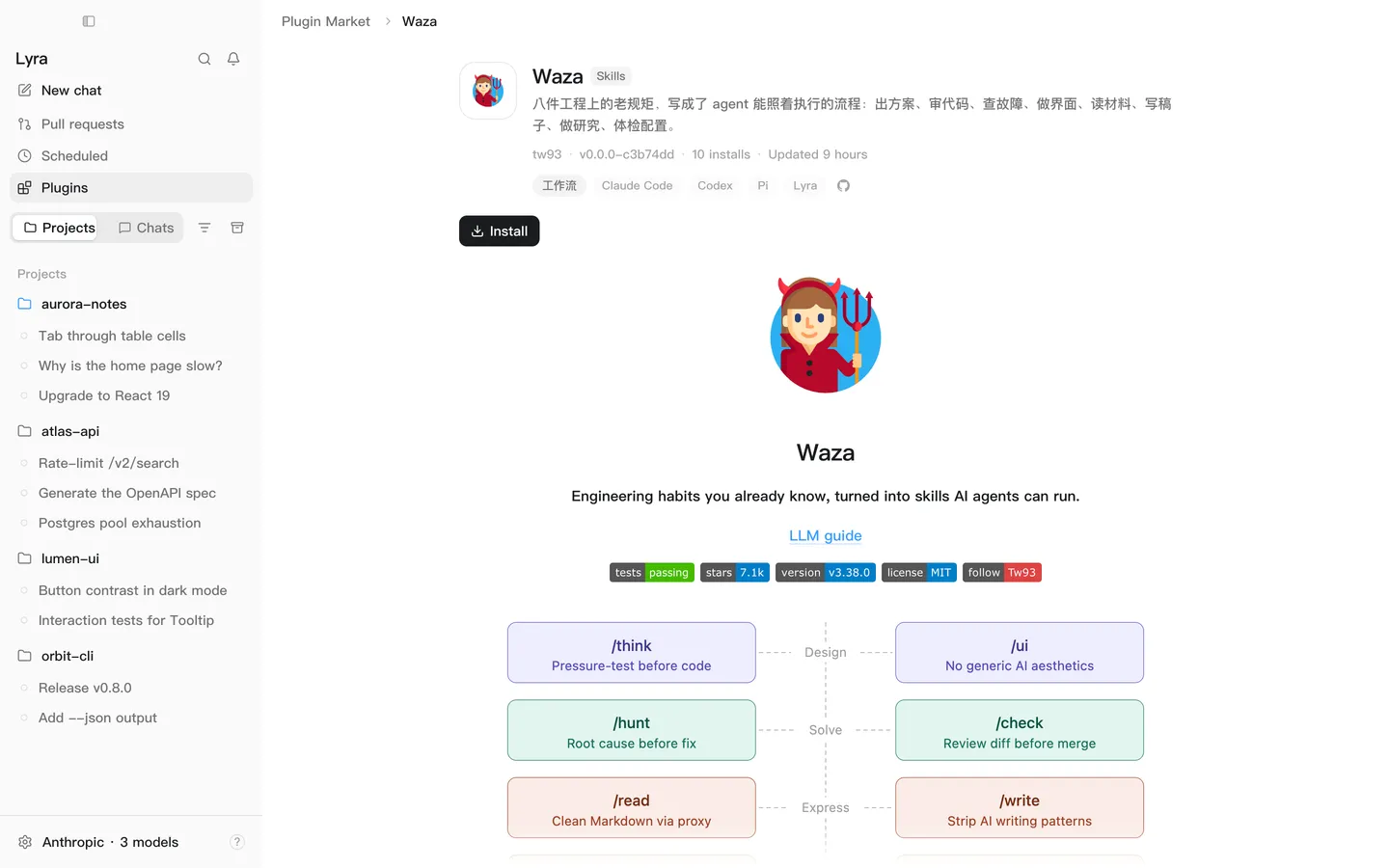
Plugin market
Skills, plugins, and MCP servers, browsed in one place and installed in one click. Skills load only when used, so dozens cost almost no context.
























70skills, plugins, and MCP servers, and counting
Browse the market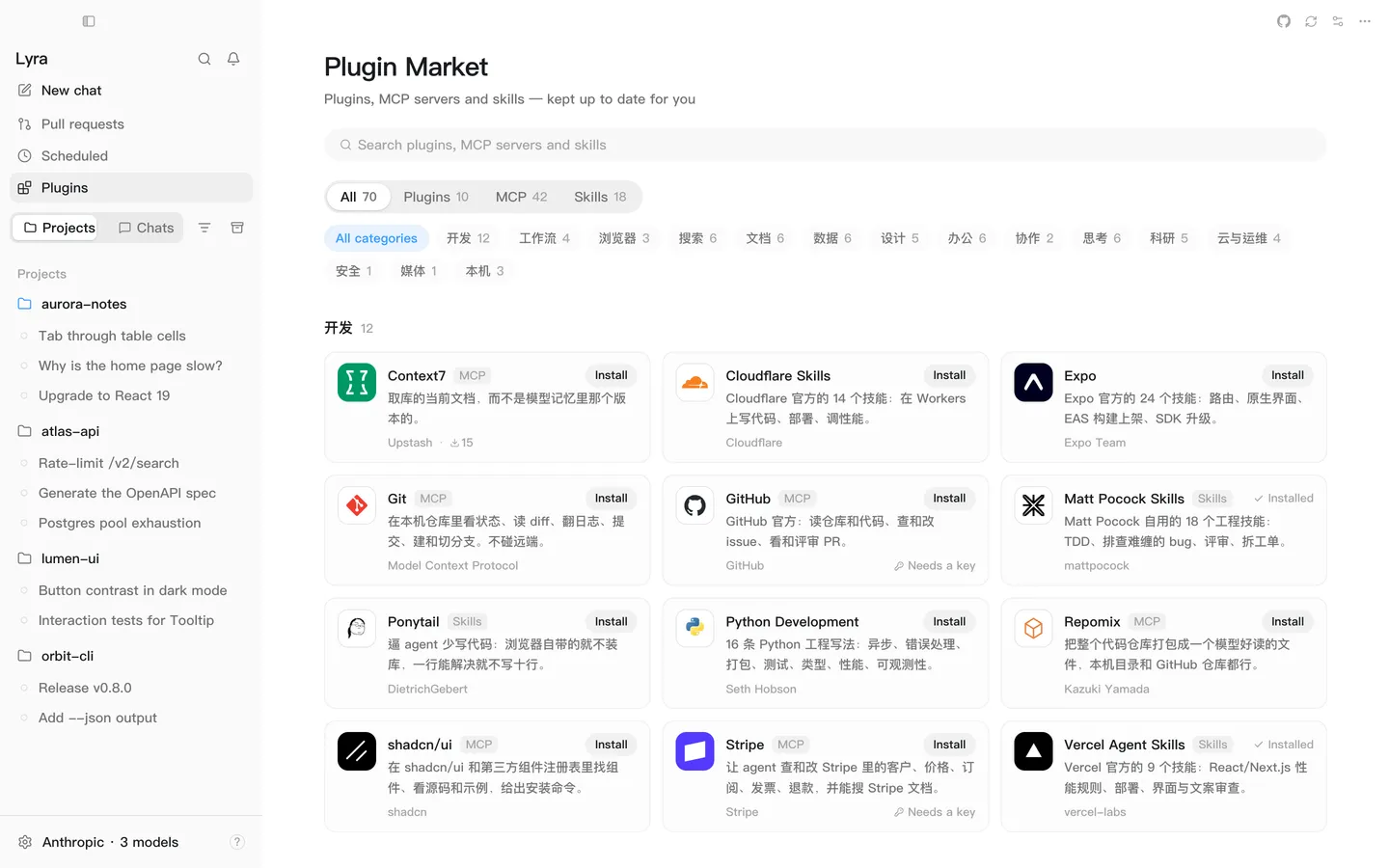
Workspace
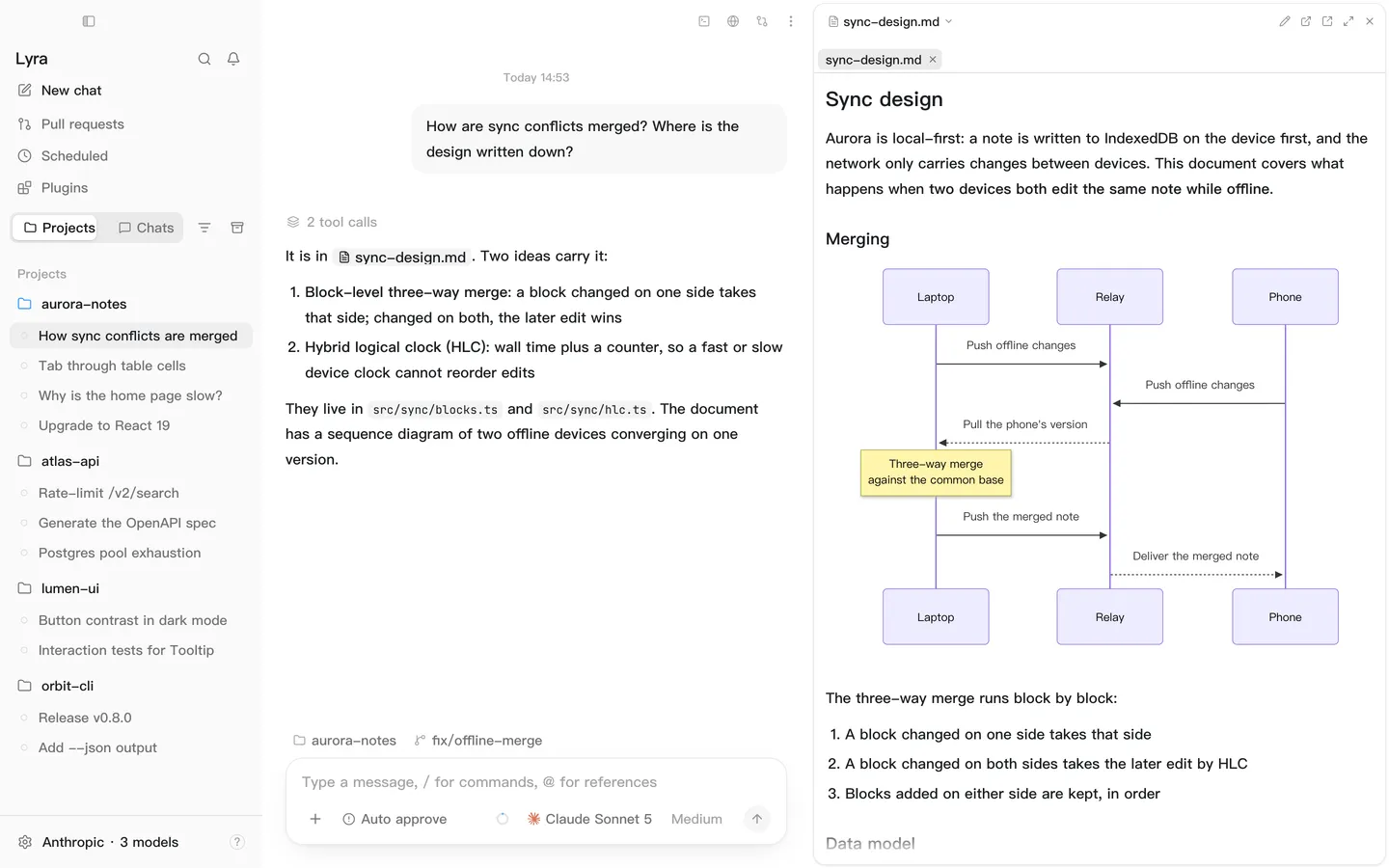
Files open beside the chat: code highlighted, Markdown rendered, mermaid diagrams and all.
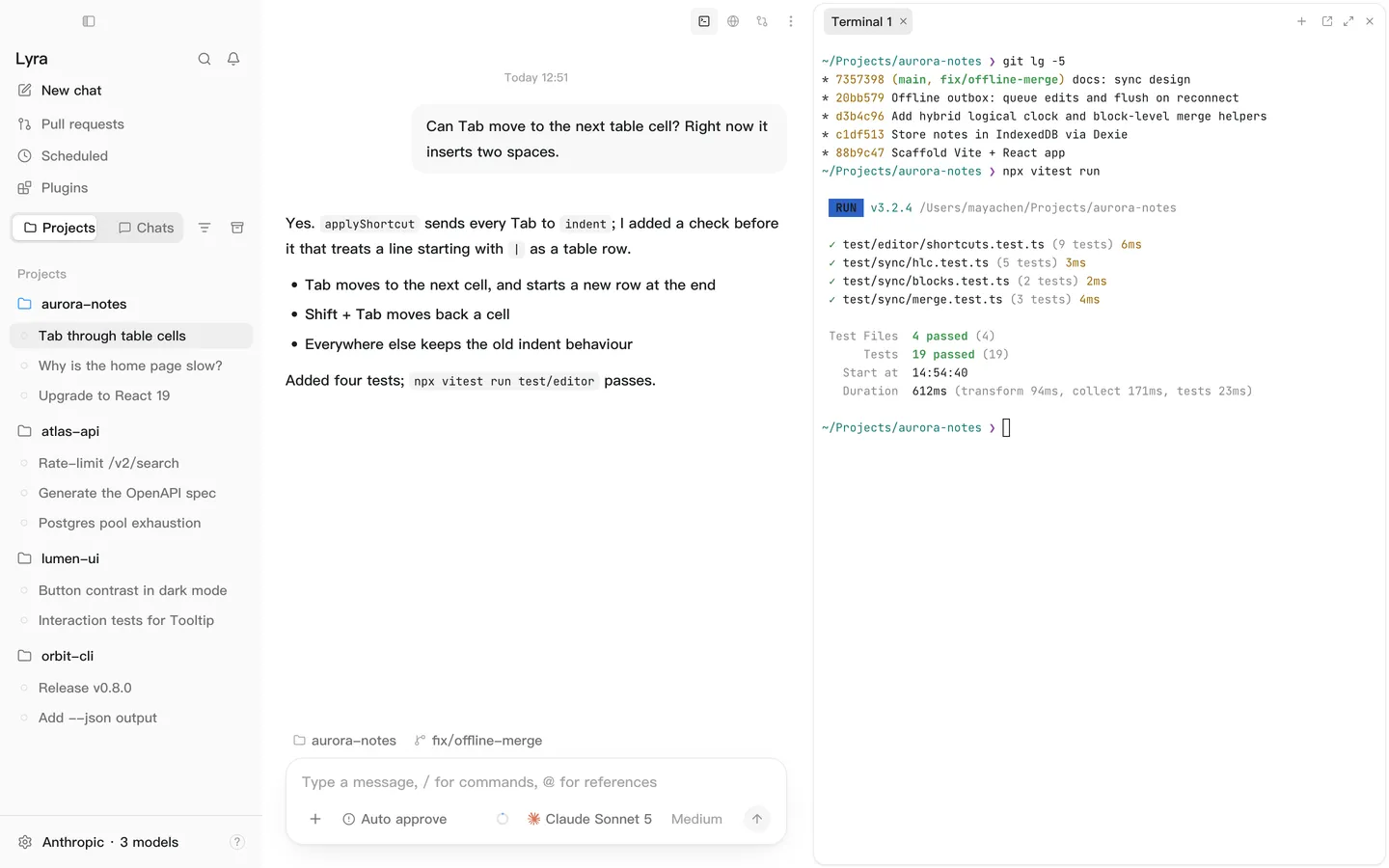
Terminal, files, Git, browser, sub-agents and more. Open them all and drag them anywhere.
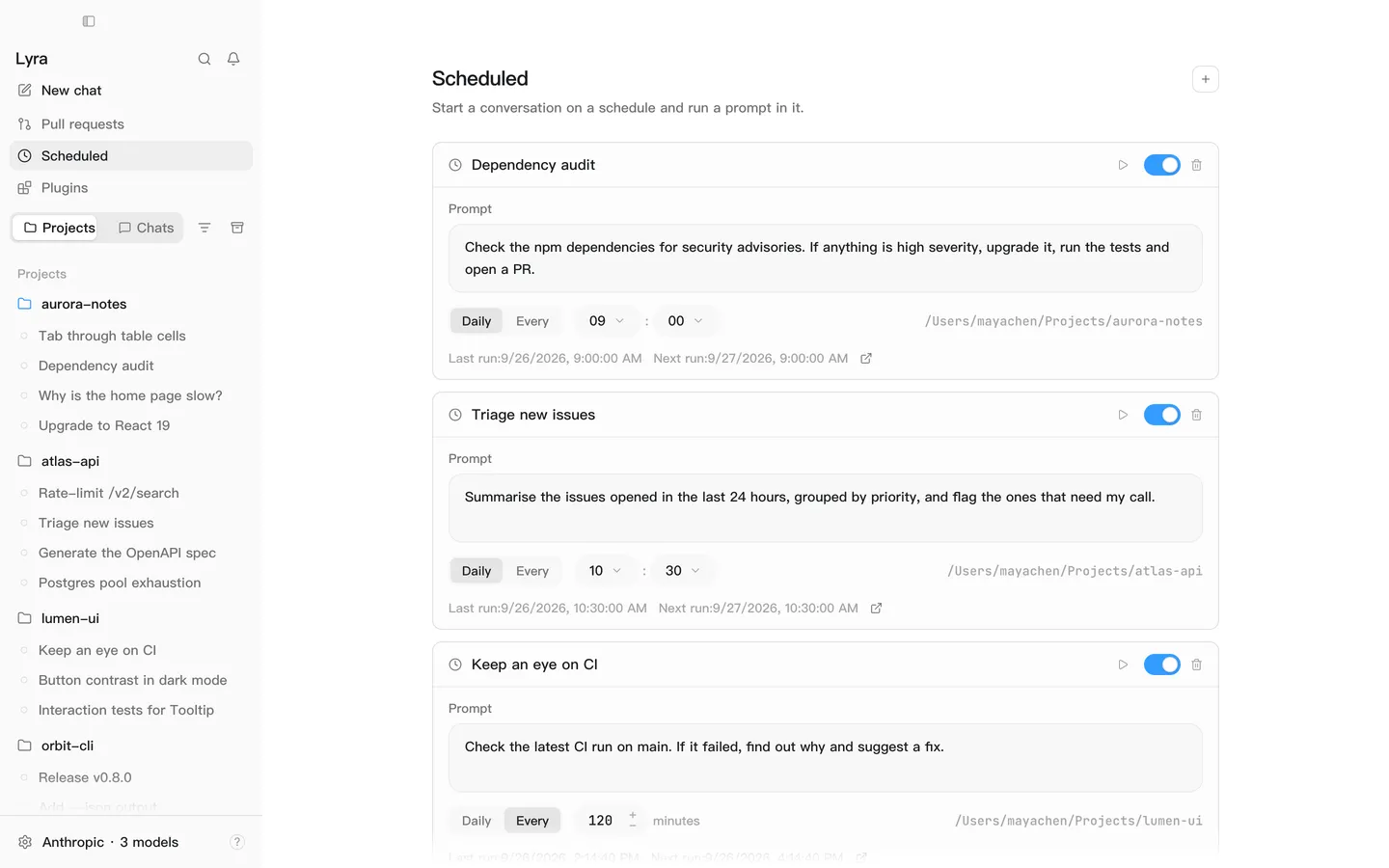
Audit dependencies at nine every morning? Set the time; a fresh session runs it for you.
Workspace
Files open beside the chat: code highlighted, Markdown rendered, mermaid diagrams and all.
Terminal, files, Git, browser, sub-agents and more. Open them all and drag them anywhere.
Audit dependencies at nine every morning? Set the time; a fresh session runs it for you.
On your phone
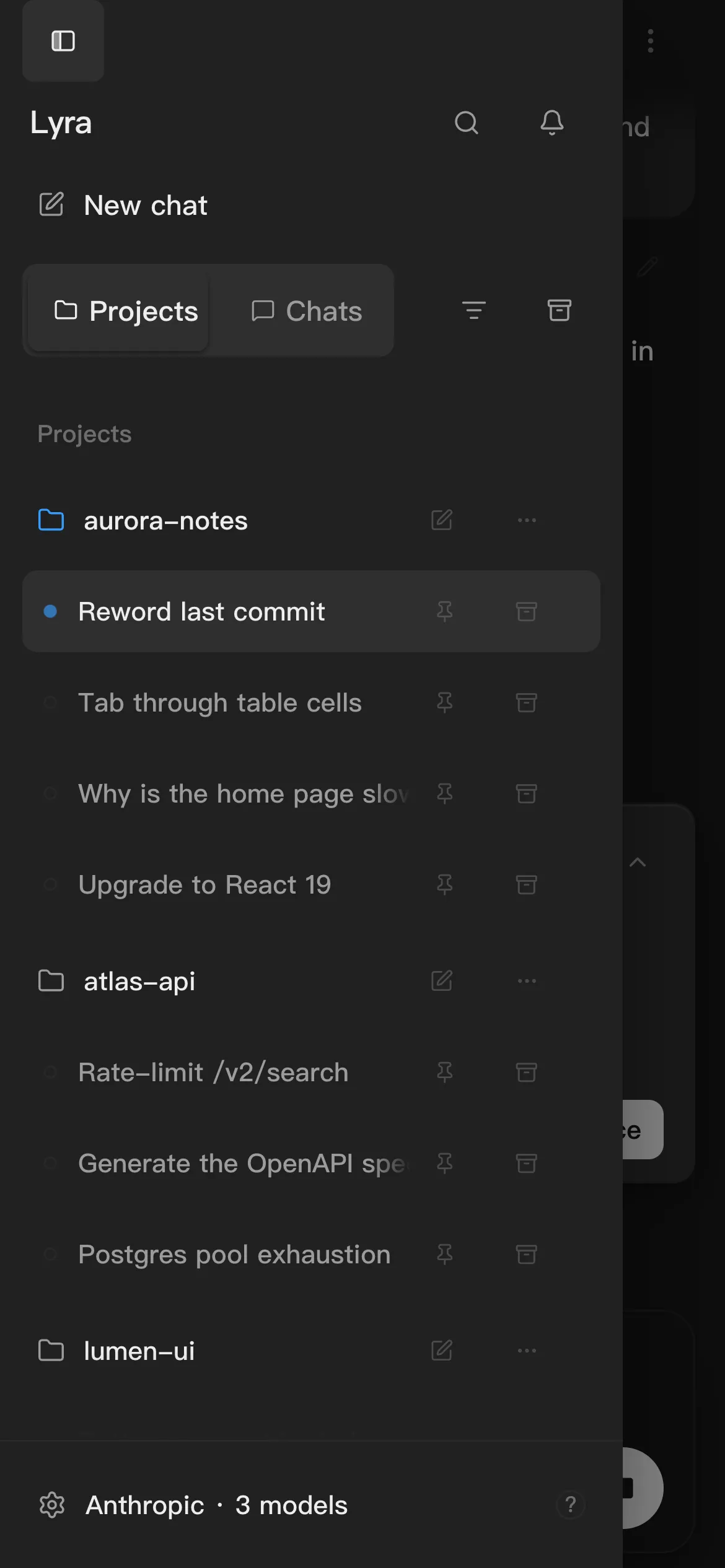
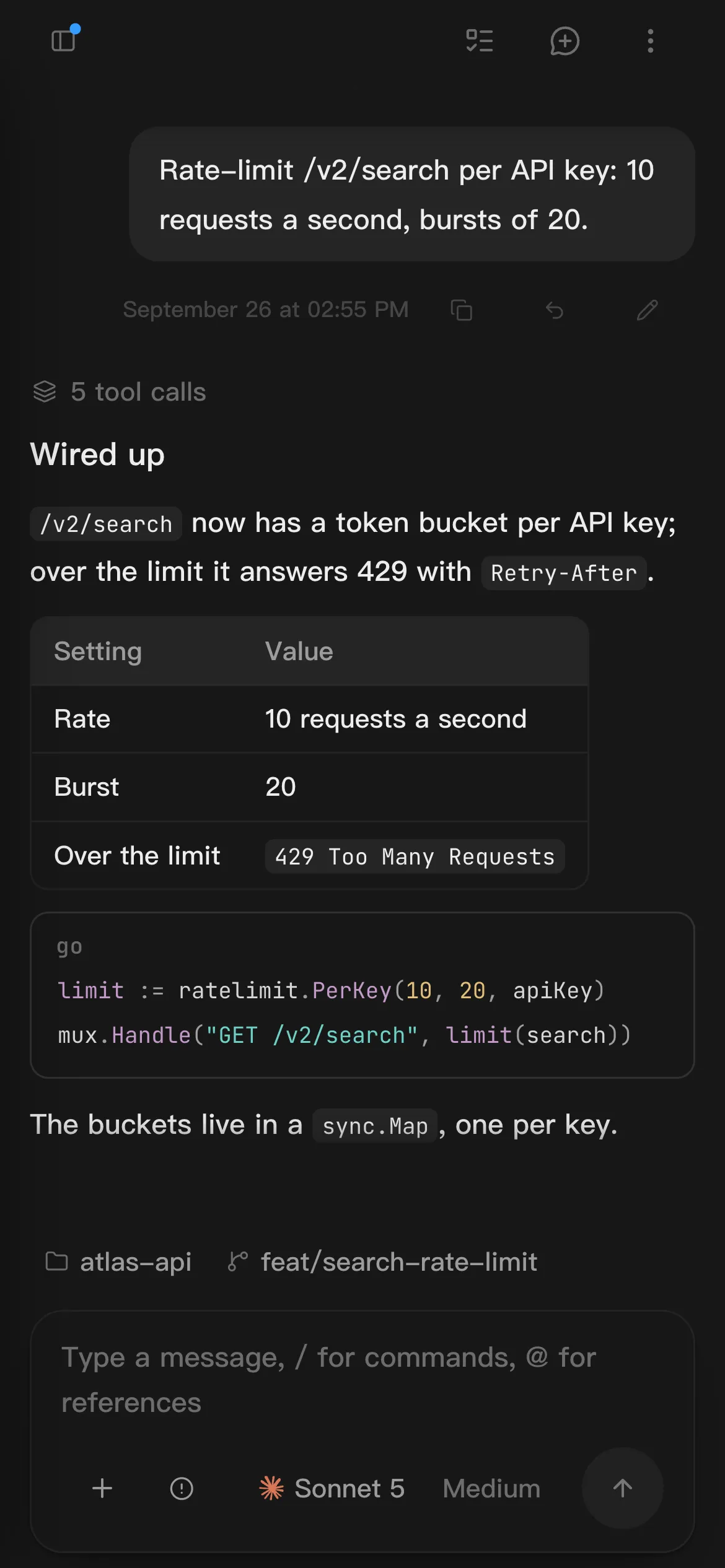
Your phone replays the same session log: watch a turn, approve an action, ask a follow-up. Models and keys never leave your computer.
Direct, and fastest.
Through your domain and TLS.
When neither side can reach the other.
MIT licensed
Every line is on GitHub. Each release ships for macOS, Windows, Linux, Android, and iOS.
git clone https://github.com/kittors/Lyra.gitcd Lyrapnpm installpnpm devAsk for approval, let it approve all but what looks risky, or give it full access. Switch any time from the composer.
A ring in the composer shows how much is used. Click it for the breakdown.
One switch in General settings. Closing the lid still sleeps.
A second conversation beside the first. It reads the main chat and writes nothing into it.
All three transports. Tools carry their server’s name, so nothing collides.
The agent drives the very page you are looking at.
Only names and descriptions sit in the prompt; the body loads when it is used. Dozens cost almost nothing.
Format in one click, or on save if you turn it on. Your project’s .prettierrc and .editorconfig come first.
A system notification when a task finishes while you are elsewhere.