
Making videos
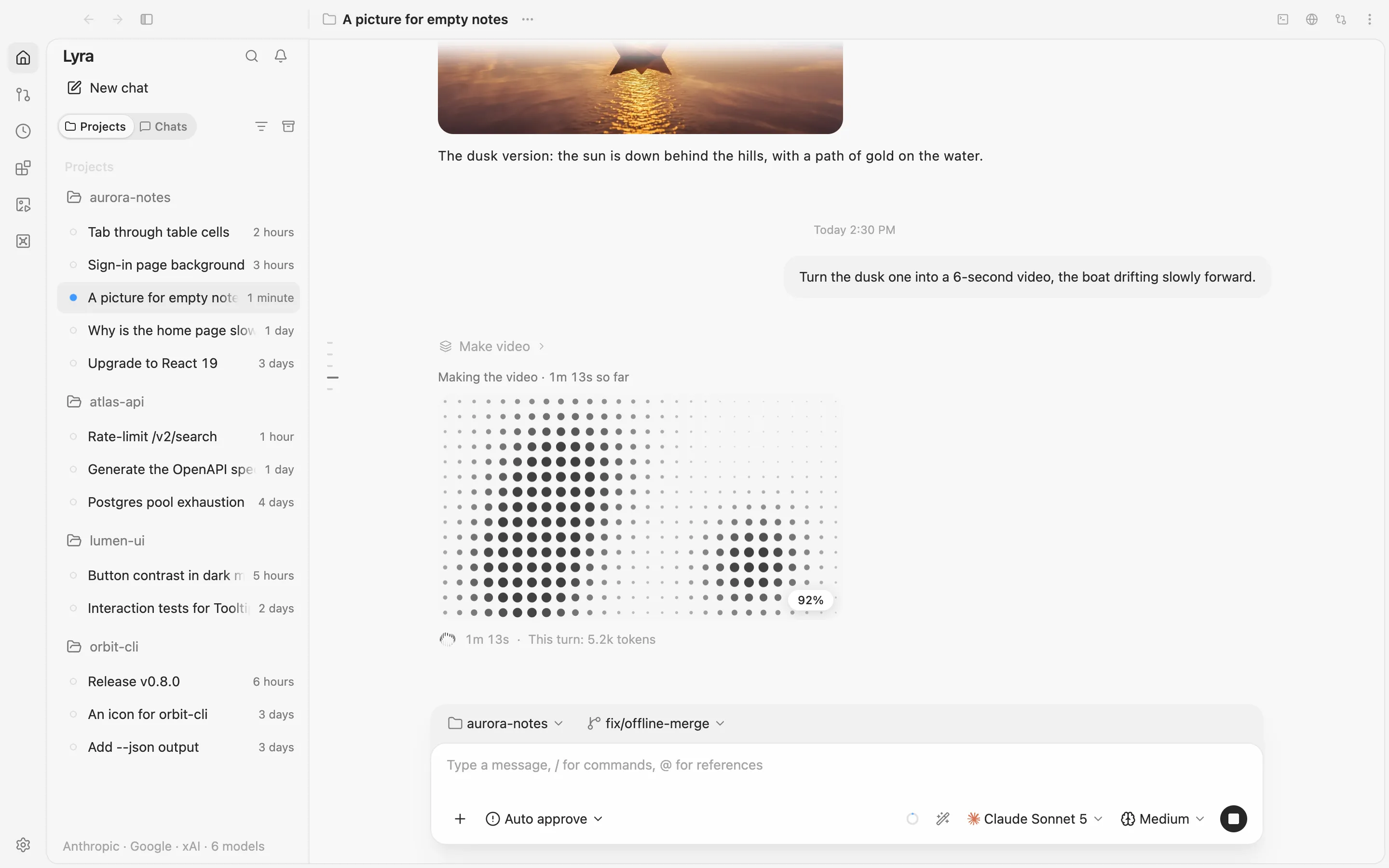
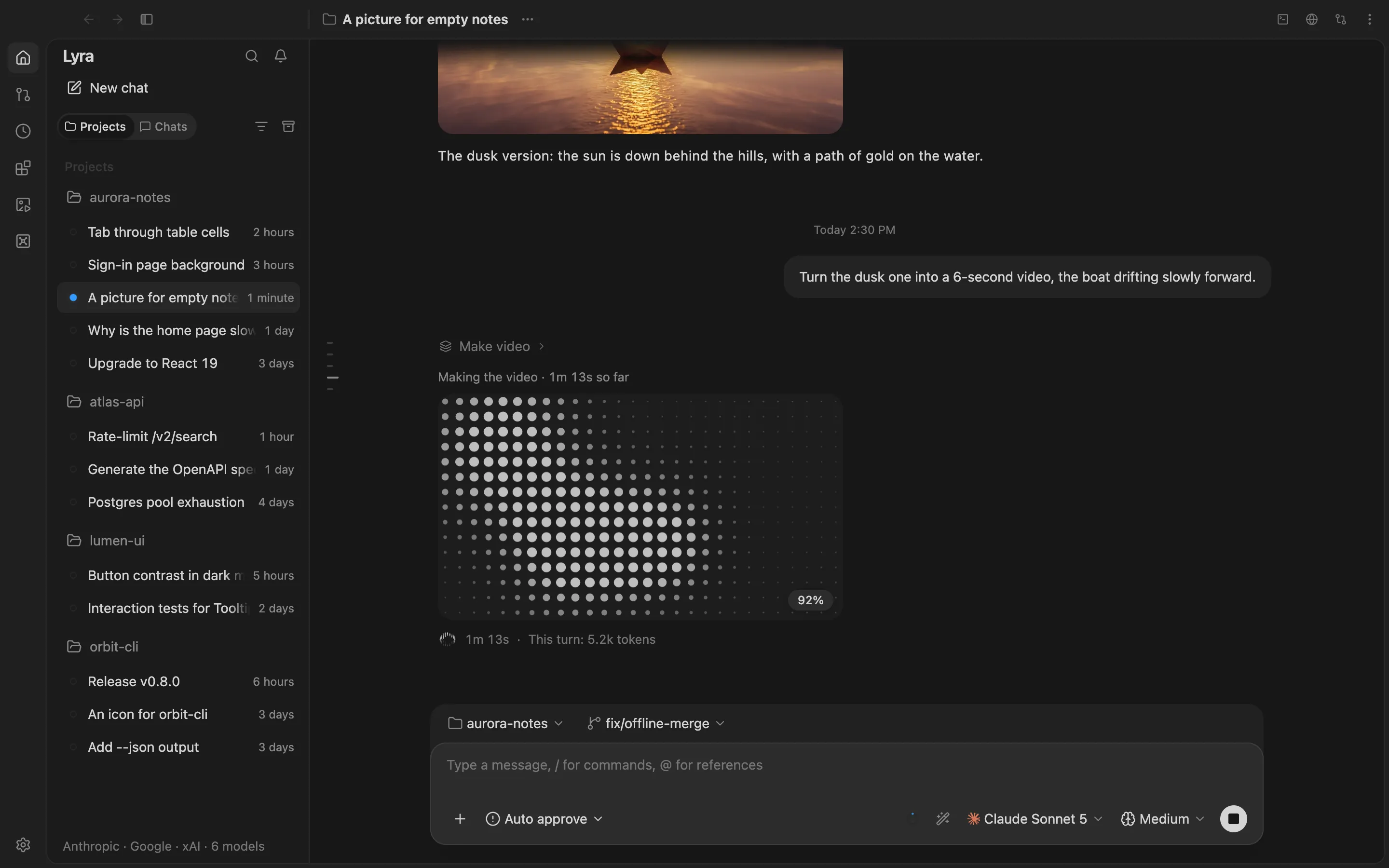
Say “make a video of…” or “make this picture move” and the conversation model calls video_generate. It writes the brief from what the chat already holds, says which picture to start from, and hands it to your video model. A video is a task you wait for: half a minute for a short one, several minutes for a long one. When it’s done, it plays in the conversation.
Add a video model
Section titled “Add a video model”- Settings → Models → pick a provider → Add a model, and enter the model ID, such as
grok-imagine-video-1.5ordoubao-seedance-2-5-260628. - For names with
-video,veo,sora,kling,seedance,hailuoorviduin them, or spellings liket2vandi2v, the model editor sets Used for to Video by itself. For other names, pick it yourself. Video models don’t show up among conversation models. - With Used for on Video, a Video API menu appears below it. It’s Automatic unless you change it; see the next section.
- Click the test button on its row. It really makes the shortest video the model offers, and that call is billed.
Video API
Section titled “Video API”Every provider shapes its video API differently. Automatic looks at the provider’s address first, then at the model name:
| In the Video API menu | Picked automatically when |
|---|---|
| xAI (grok-imagine-video) | The address is on x.ai, or the model name starts with grok-imagine-video |
| Volcano Ark (Seedance) | The address is Volcano Ark’s, or the model name has seedance in it |
| OpenAI video format (new-api and other relays) | A relay’s /v1/videos. Kling, Wan, Vidu and the like usually come this way through a relay |
| Google Veo (Gemini API) | The address is the Gemini API’s, or the model name starts with veo |
| Alibaba Model Studio (Wan) | The address is on Alibaba Cloud |
When neither tells, Lyra tries the OpenAI video format, then xAI, then Volcano Ark, and uses the first that has the endpoint. Pick one in the model editor and only that one is used; nothing else is tried.
Which one is used
Section titled “Which one is used”With one video model, that one. With several, pick the default under Settings → Subagents → Session → Video model, or choose Make default video model in a provider’s model list; with none picked, the first one is used.
A conversation can use another one: pick it with the wand in the composer, or @-mention a video model in a message. It works the same way as picking an image model.
While it’s made
Section titled “While it’s made”- The video’s place is held at its shape by a field of drifting dots. Above it is the stage and how long it has been, such as “Making the video · 1m 12s so far”; the stages are Submitting, Queued, Making the video and Fetching the video.
- The percentage in the corner is the provider’s own when it reports one. When it doesn’t, it’s an estimate from how long that kind of clip usually takes.
- A network hiccup between two checks doesn’t fail the video: the task is still running at the provider, and already paid for. The card only reports a failure after half a minute of checks going unanswered, or once 20 minutes have passed without the video being done.
- Say “10 seconds”, “vertical”, “1080p” or “no sound” and the model passes it on. Each model has its own range of lengths, and the nearest one it offers is used.
- To start from a picture, paste it into the composer or point at one already in the chat (the newest is
#1, the one before it#2). It becomes the first frame. Some models can also be given a last frame, or pictures to take characters and style from without fixing a frame. - Up to four videos at a time.
Watching
Section titled “Watching”Videos play in Lyra’s own player. While paused, there’s a play mark in the middle, and a bar along the bottom with play, the time, a track to drag, sound, full window and More. While it plays and the pointer is still, the bar steps aside.
- Full window fills Lyra’s window, and the video carries on rather than starting over. Taking over the whole screen is Full screen, under More.
- Click the picture and the keys work: Space or
Kplays and pauses,←and→jump five seconds,Mmutes,Ffills the window,Escsteps back out. - Hovering shows Remake with and Download at the top right. Remake with is there with two or more video models, and keeps the prompt and the pictures.
Video files in the file pane play in the same player.
When a video fails
Section titled “When a video fails”The card says why:
| The card says | What happened |
|---|---|
| The task is gone | It expired, or the relay restarted. Make it again |
| Taking too long to finish | 20 minutes passed. The provider may still finish it; it was not cancelled |
| Stopped waiting; the provider may already have billed it | You stopped the turn. Lyra no longer waits, but a task already submitted may still be billed |
| Out of quota, a key that can’t use the model, refused under the content policy | The same as for pictures; see When a picture fails |
Good to know
Section titled “Good to know”- Every video is a billed call to the video model’s provider. Unless you ask for more, the model makes one; unless you ask, it doesn’t make one again.
- Videos are stored with the pictures, in
~/.lyra/session-media/, and are still there when you reopen the chat. - Every video made in any conversation is kept in Studio on the left-hand rail; see Studio.